

EaseUS Partition Master Overview
EaseUS Partition Master Technician is an all-in-one partition manager software mainly designed for business, IT admin, technician, consultant and service provider to redistribute hard drive space with high efficiency and keep all PCs, laptops and servers running with perfect performance.
Key Features of EaseUS Partition Master
- The Best Partition Manager Software Ever
- EaseUS Partition Master Technician deals with all partition tasks efficiently without data loss. Just a few clicks to repartition your HDD, SSD, USB, flash drive, SD card, memory card and more storage devices well under Windows 11, 10, 8.1, 8, 7, Vista, XP and Windows Server 2022, 2019, 2016, 2012, 2008, 2003.
- Create / Resize / Move Partition
- Reorganize partitions on PCs or Servers to settle down low disk problem and make full use of hard drive capacity. Also, keep data security first.
- Extend Partition
- Extend partitions, especially the system partition on the C drive, to a larger size to solve low disk space problems and speed up your PCs, laptops and servers without restarting.
- Format / Delete / Wipe Partition
- Do careful partition deletion, partition formatting, or wipe all sensitive data on partitions to reallocate disk space with high efficiency.
- Merge / Split Partition
- Merge partitions into a large one or divide partitions into several partitions without data loss for a better data storage solution.
- Disk or Partition Cloning Technician Toolkit
- Change your system disk from HDD to SSD? Transfer data and system from SSD to a new SSD? Make an exact copy of a partition or entire disk to another one? The disk or partition cloning tool included in EaseUS Partition Master Technician offers an effective way to clone an HDD to an SSD easily, clone an SSD to another one or clone a hard drive to an HDD / SSD, without reinstalling the system and configurations for hard disk upgrade and data protection.
- EaseUS Migrate OS to SSD or HDD
- EaseUS Partition Master Technician helps users to easily migrate the OS to SSD or HDD without reinstalling the Windows system and configurations to protect the Windows system from potential risks. Transfer the operating system from HDD to SSD or from SSD to HDD to upgrade your system disk, leaving much more disk space for new system installing and speeding up Windows system running.
- Full-Range Hard Disk Partitioning Software
- EaseUS Partition Master Technician combines a disk partition tool, a disk or partition copy utility with fast partition recovery wizard together to manage storage space on HDD, external hard drive, SSD, USB, SD card, memory card and other removable devices for great stability, flexibility and efficiency.
- Partition Recovery
- Fast restore partitions that are deleted unexpectedly on the unallocated space, even when the Windows system fails to boot up
- Disk or Partition Conversion
- Easily convert a primary partition into a logical, logical into a primary, an MBR disk, including an MBR system disk, into a GPT disk, a GPT disk also including a GPT system disk to an MBR disk, a dynamic disk to a basic disk, and even a FAT file system to an NTFS without data loss
- Repair RAID-5 Volume
- Repair the RAID-5 volume quickly to keep all data safe and accessible for better Windows PC or Server performance
- SSD 4K Alignment
- Make sure all partitions on the SSD are correctly realigned to gain perfect SSD performance and speed up your PC or server
- Cleanup and Optimization
- Clean up junk files and large files that have occupied much disk space, and optimize the system disk to run the PC / server faster
- Support Command Line
- Manage your disks or partitions directly through input commands. Just set up the command lines to partition your hard drive
- Create WinPE Bootable Disk
- EaseUS partition software easily creates a WinPE bootable disk to rescue the Windows system and get it started again fast when the system fails
- Support Windows Storage Spaces
- EaseUS disk management software for Windows easily manages virtual disks created from free space in a storage pool
EaseUS Partition Master System Requirements
Below are the minimum system requirements for running EaseUS Partition Enslaver
| Processor: | at least with X86 or compatible CPU with main frequency 500MHz. |
| RAM: | 512 MB available memory. |
| Windows: | 11, 10, 8.1/8, 7. |
| Space: | 100 MB available space. |
Key Features of EaseUS Partition Master
EaseUS Partition Master is a comprehensive disk management software designed to help users manage hard drives and partitions with ease. It offers tools for resizing, moving, merging, splitting, and optimizing disk space without data loss. It also includes advanced features for disk cloning and system migration.
-
Resize, move, merge, split, create, and delete partitions
-
Convert between MBR and GPT without data loss
-
Disk and partition cloning for backup or upgrade
-
System migration to SSD or HDD
-
Recover lost or deleted partitions
-
Check and repair file system errors
-
Manage unallocated space and optimize storage
-
Free trial available to test core partitioning functions
Pros and Cons of EaseUS Partition Master
| Pros | Cons |
|---|---|
| Easy to use interface | Full version requires a paid license |
| Powerful partition management tools | Some advanced features limited in the free version |
| Safe operations without data loss | Can be complex for beginners |
| Disk cloning and migration support | Not suitable for very large enterprise systems |
| Supports multiple file systems | Technical knowledge recommended for advanced features |
Benefits of Using EaseUS Partition Master
EaseUS Partition Master helps users organize and optimize their disk storage efficiently, making it ideal for both home and professional use. It reduces the risk of storage issues and improves system performance through better space allocation.
-
Improves disk space utilization
-
Enables safe resizing and reorganization of partitions
-
Simplifies system migration to new drives
-
Helps recover lost or deleted partitions
-
Supports better performance and storage planning
Why Use EaseUS Partition Master Software?
EaseUS Partition Master is a reliable solution for users who need a comprehensive and user-friendly partition manager. It combines essential disk management tools with advanced features for system optimization and data protection.
-
Suitable for both beginners and advanced users
-
Helps extend storage without reinstalling the operating system
-
Reduces risk of data loss with safe partition operations
-
Provides disk cloning and migration tools
-
Free download available to try before purchase
EaseUS Partition Master Changelog
Below is the list of changes made to the current version of EaseUS Partition Master.
- What’s New?
EaseUS Partition Master Screenshots
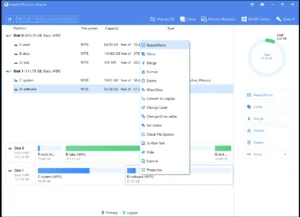
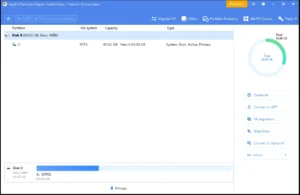
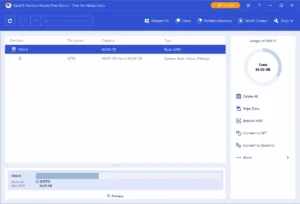
How to use EaseUS Partition Master?
Follow the below instructions to activate your version of EaseUS Partition Master.
- Disable internet and install the program (use given setup)
- Close the program and Run the activator, Choose Edition then click “Activate” and choose program installation folder
- Merge the provided Reg of the edition you want
- That’s it, Enjoy!
EaseUS Partition Master Details
Below are the details about EaseUS Partition Master.
| App Size: | 164.5 MB / 992.9 MB |
| Setup Status: | Untouched |














